
FluentRead - Open Source Translation Plugin
Chat settings option
In the 88API Console under System Settings -> Chat settings, you can add the following quick option to enable one-click fill to FluentRead from the API Keys page:
{ "FluentRead": "fluentread" }🌊 FluentRead is a revolutionary open-source browser translation plugin, enabling everyone to have a native-like reading experience.
- Project Address:
<https://github.com/Bistutu/FluentRead>
🌟 Core Features
Intelligent Translation Engine
- Multi-engine Support: Supports 20+ translation engines
- Traditional Translation: Microsoft Translator, Google Translate, DeepL, etc.
- AI Large Models: OpenAI, DeepSeek, Kimi, Ollama, etc.
- Custom Engines: Support for custom translation service configuration
Immersive Reading Experience
- Bilingual Display: Original text and translation displayed side by side for easier reading
- Word Selection Translation: Select any text to get instant translation results
- One-click Copy: Quickly copy translations to improve reading efficiency
- Full-page Translation: Use the floating ball to translate entire web pages with one click, no page refresh needed
Privacy and Customization
- Privacy Protection: All data stored locally, open source and transparent code
- Highly Customizable: Rich customization options to meet different scenario needs
- Completely Free: Open source and free, non-commercial project
📦 Installation Methods
| Browser | Installation Method |
|---|---|
| Chrome | Chrome Web Store | Domestic Mirror |
| Edge | Edge Add-ons Store |
| Firefox | Firefox Add-ons Store |
🚀 Configuration Methods
Import Configuration from 88API Console (Recommended)
After installing the FluentRead plugin in your browser, open the 88API Console->Token Management page and a prompt to add FluentRead will appear
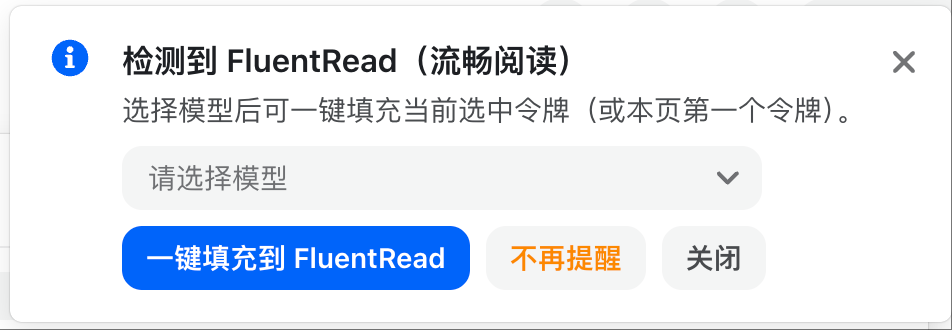
Select a model and click "One-click Fill to FluentRead", which will pop up a confirmation window. Check if the corresponding information is correct
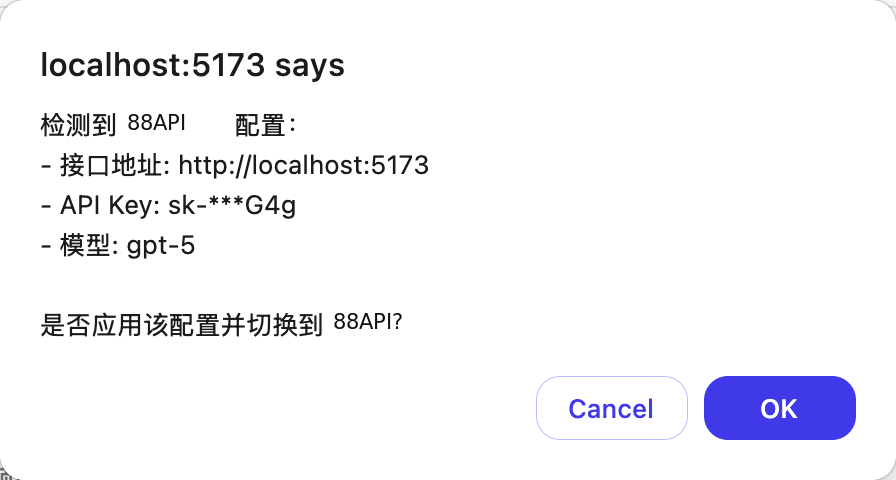
After confirming the import, the 88API configuration in FluentRead will be enabled
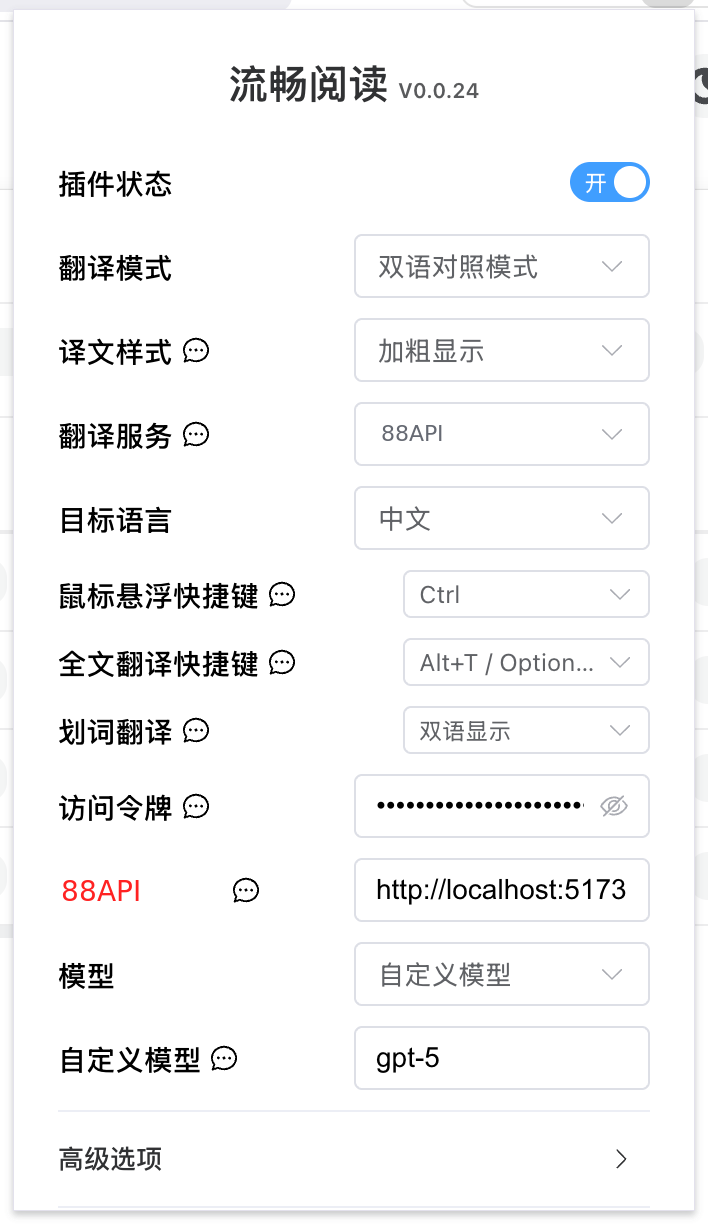
Manual Configuration in FluentRead
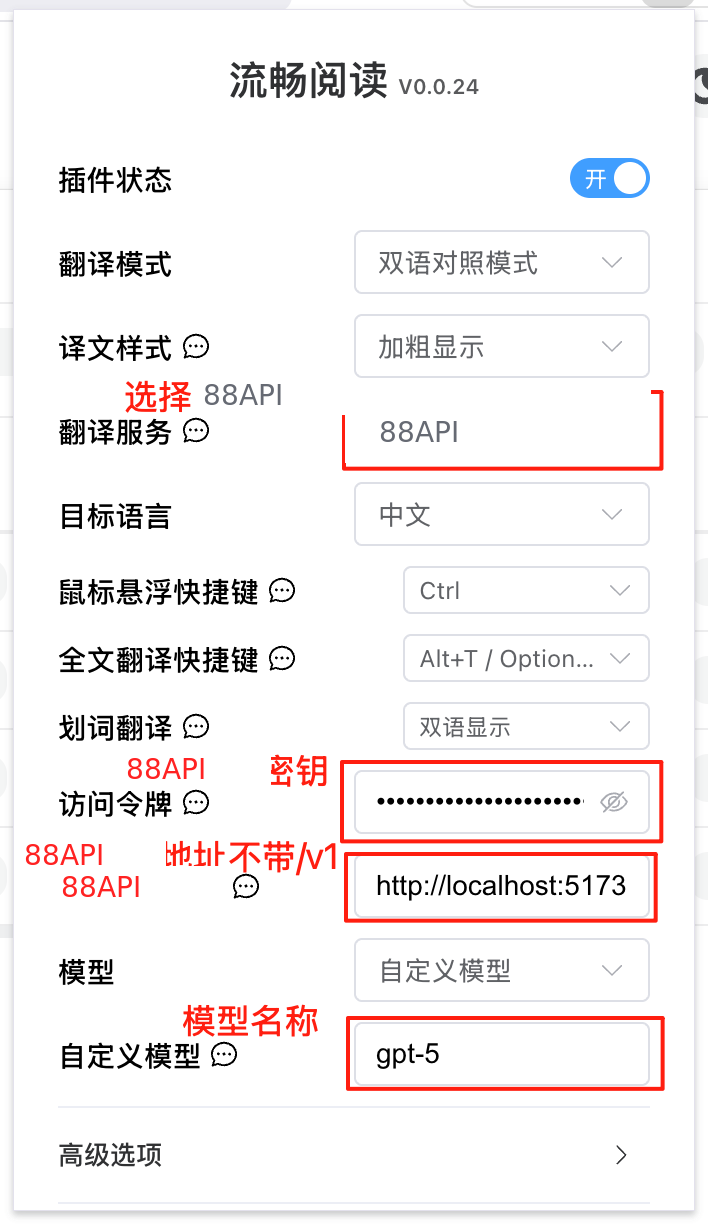
| Configuration Item | Content |
|---|---|
| Translation Service | 88API |
| Access Token | 88API Key |
| 88API Interface | 88API deployment address (without /v1) |
| Model | Select from list, or custom model |
| Custom Model | Model name |