
LangBot - IM Bot Development Platform
LangBot is an open-source IM bot development platform that supports multiple instant messaging platforms such as Lark, DingTalk, WeChat, QQ, Telegram, Discord, Slack, and more. It integrates with globally leading AI models, supports knowledge bases, Agent, MCP, and various other AI application capabilities, and is perfectly compatible with 88API.
- Official Website:
<https://langbot.app/en> - Download:
<https://github.com/langbot-app/LangBot/releases> - Official Documentation:
<https://docs.langbot.app/en/insight/guide.html> - Open Source Repository:
<https://github.com/langbot-app/LangBot>
Integrating with 88API
LangBot supports integration with locally deployed 88API and third-party 88API services built using 88API.
Usage Instructions
-
Get API key from 88API
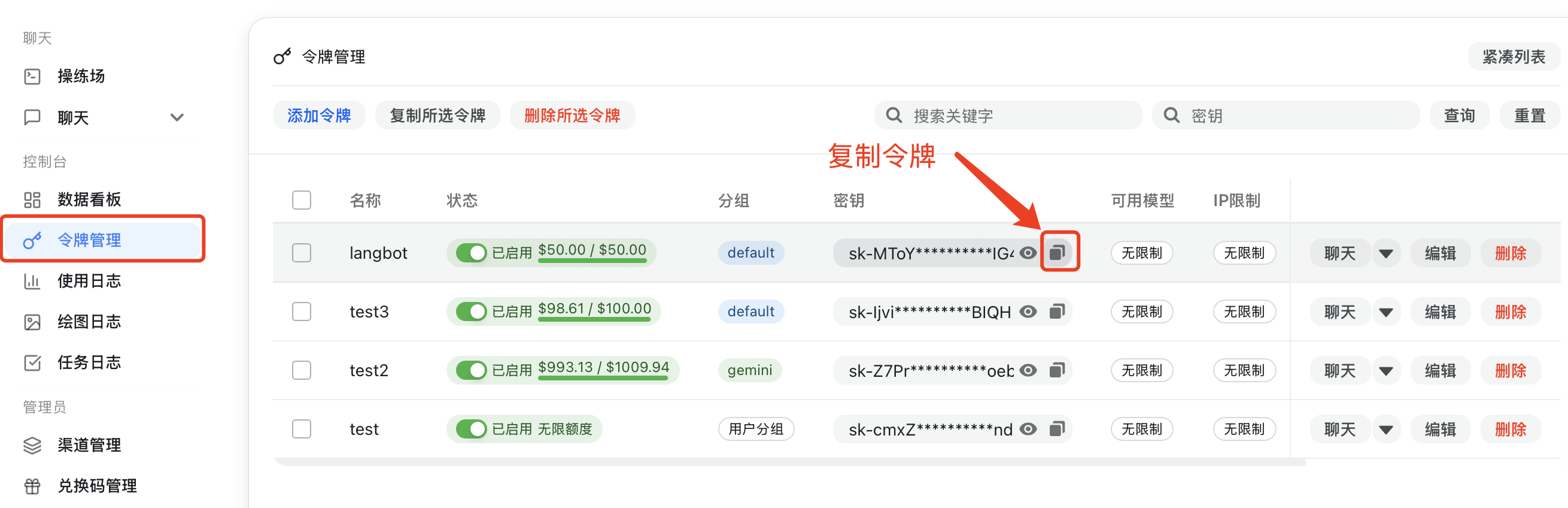
For locally deployed 88API, please configure the API address yourself (refer to Container Network Connection). If using third-party 88API services, you can copy the address from the page. Note that
/v1needs to be added after the address. -
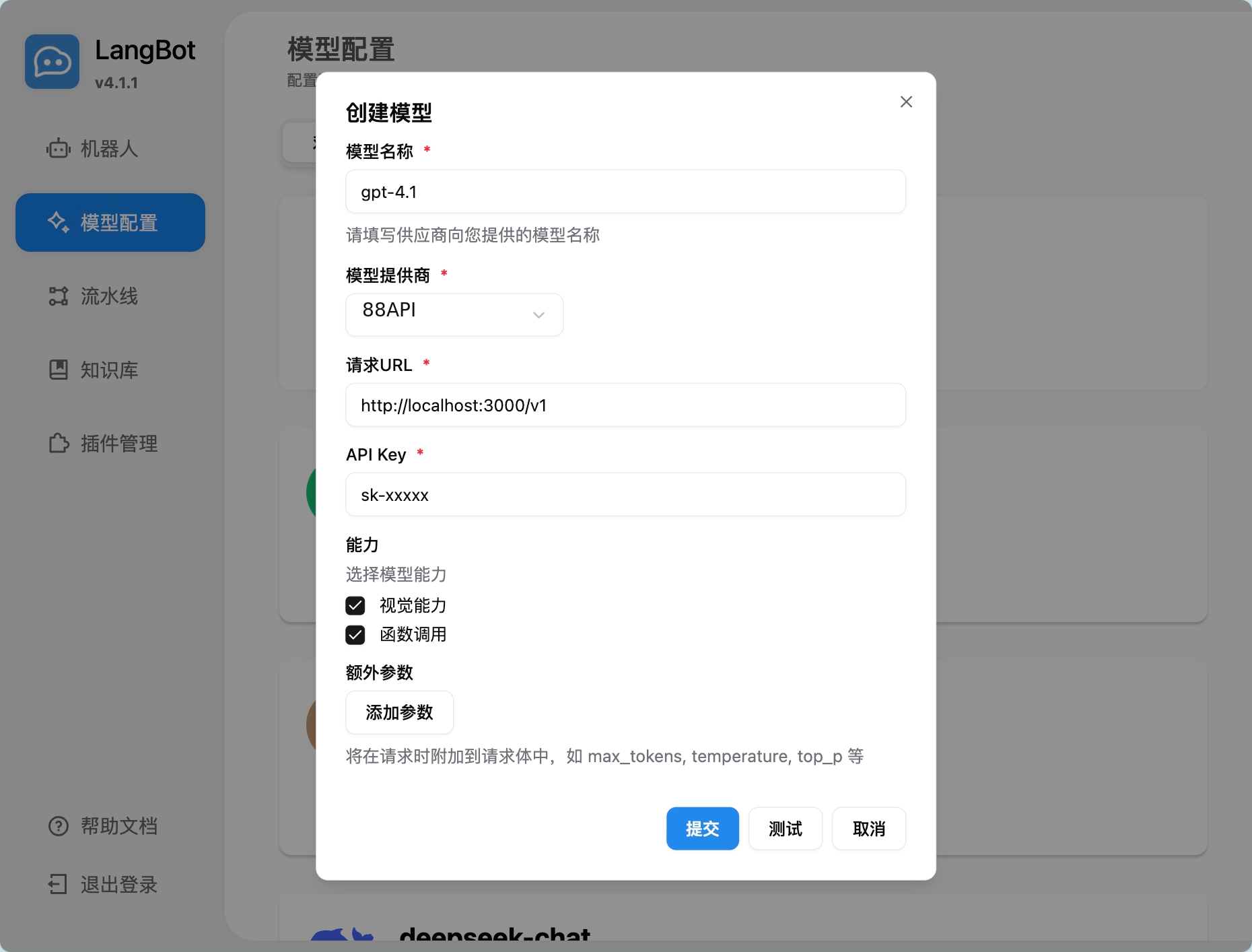
Add a model in LangBot, select 88API as the provider, and fill in the corresponding API key and API address
-
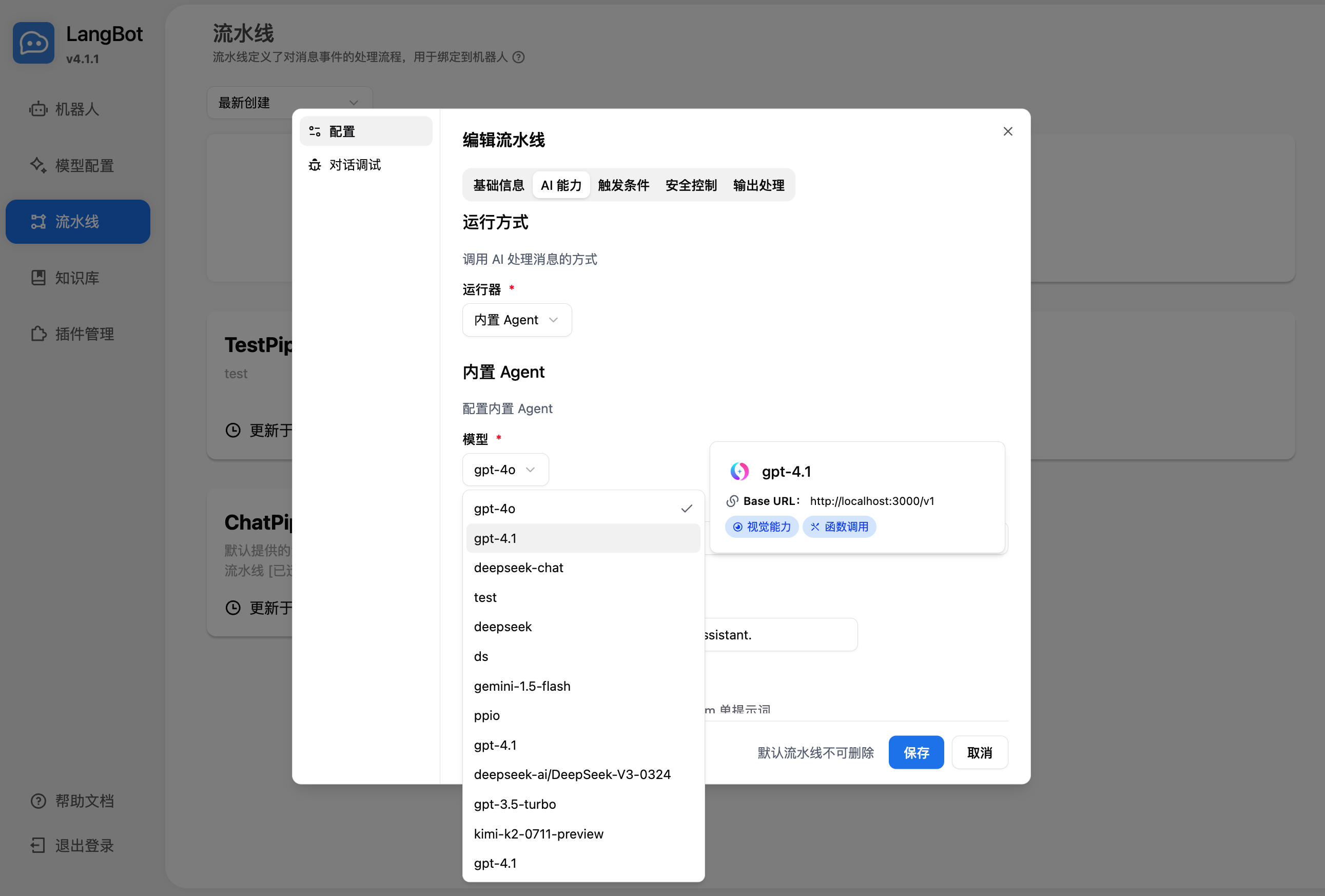
Select the model to use in the pipeline
-
Chat in the conversation debug or with the bot bound to the pipeline to use it
For deploying and configuring bots, please refer to Deploy Bots.
Using LangBot Knowledge Base
LangBot supports using 88API's embedding models as vector models for knowledge bases.
-
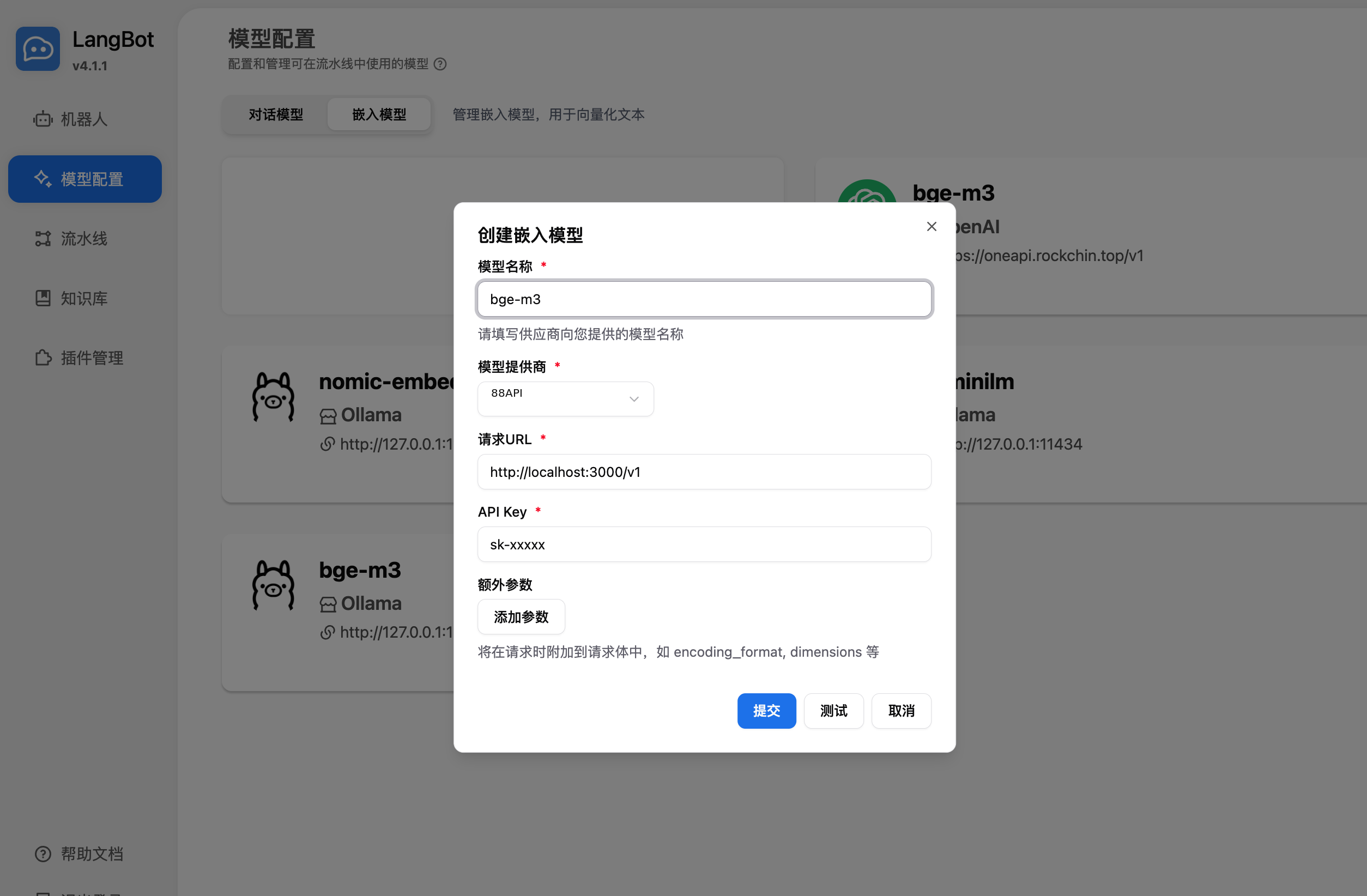
Add an embedding model in LangBot, select 88API as the provider
-
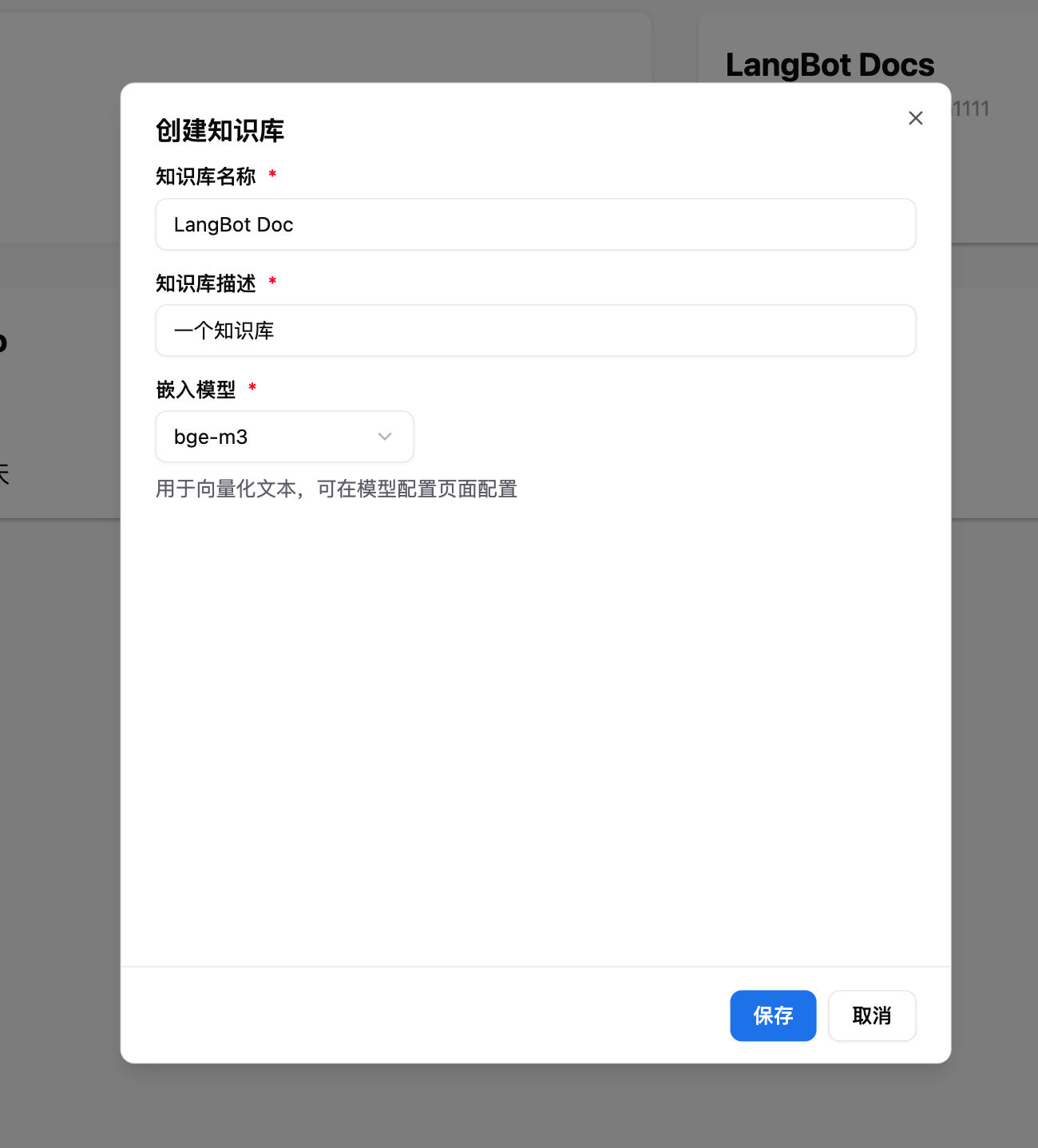
Choose the embedding model when creating a new knowledge base
For more usage methods, please refer to LangBot's official documentation: <https://docs.langbot.app/en/insight/guide.html>